
 Join our Discord
The most complete crosshair resource ever built for FiveM. Blend Crosshair gives your players a fully customizable, competitive-grade crosshair experience with kill effects, particle FX, kill sounds, damage popups, and a polished in-game UI — all client-side, no lag, no server events.
What's Included
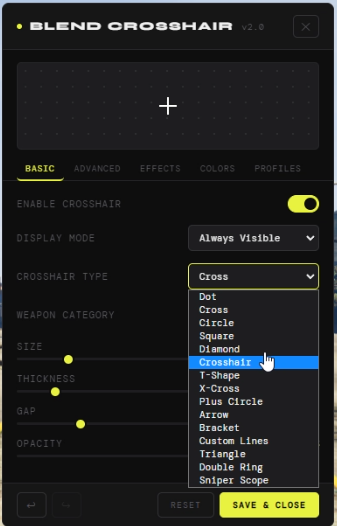
15+ Crosshair Shapes Dot · Cross · Circle · Square · Diamond · Crosshair · T-Shape · X-Cross · Plus Circle · Arrow · Bracket · Custom Lines · Triangle · Double Ring · Sniper Scope
Kill Effects System
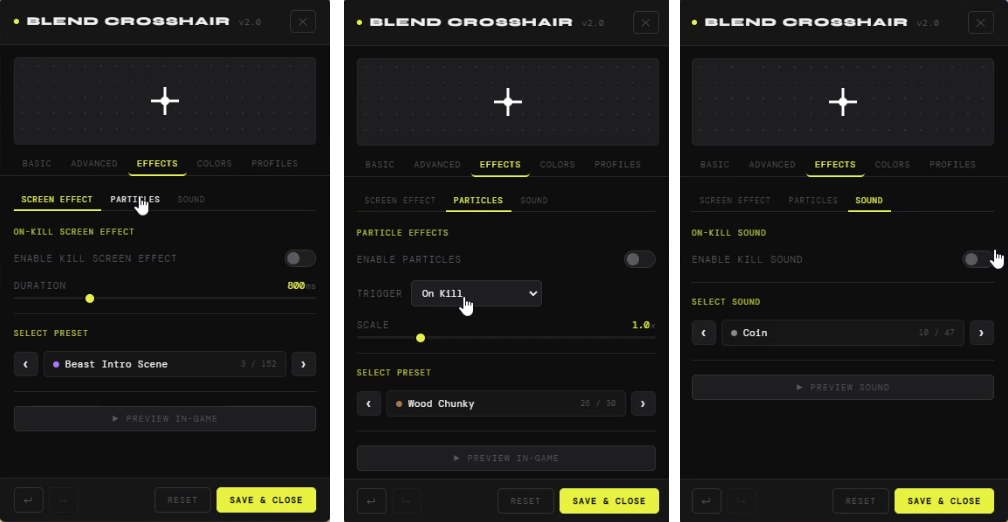
- Particle FX — 30+ real GTA particle presets (wood, sparks, explosions & more) triggered on hit, kill, or both
- Kill Sounds — 45+ native GTA sound presets play on every kill
- Screen Effects — 100+ cinematic post-process effects flash on kill
- Damage Number Popups — floating numbers with custom colors for hits, headshots, and kills
Crosshair Customization
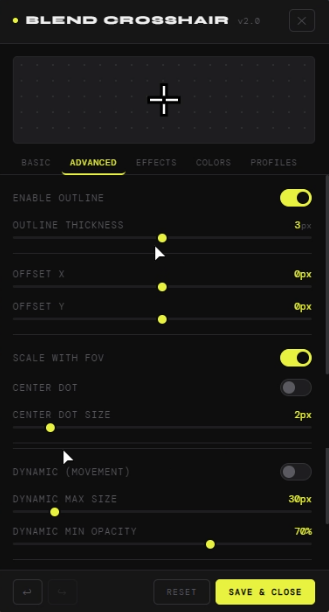
- Dynamic crosshair — expands on movement, tightens on aim
- Kill confirm golden flash
- Outline with separate color & thickness control
- Center dot with custom size & color
- Shadow / Glow toggle
- FOV scaling
- X/Y offset repositioning
- Display mode: Always Visible or Only When Aiming
- Per-weapon category filter
Color System
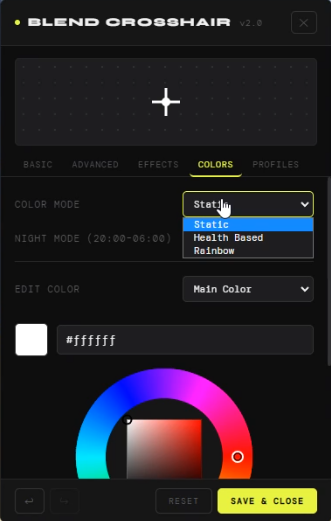
- Static, Health-Based, and Rainbow color modes
- Full RGB color wheel with hex input
- Night Mode — auto-switches color between 20:00–06:00
- Separate colors for outline, center dot, kill confirm, and night mode
Profile System
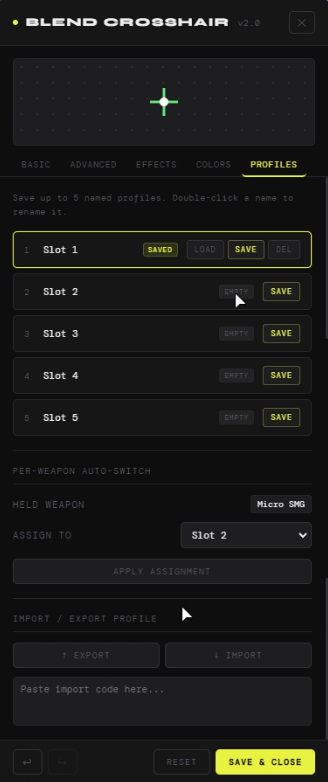
- 5 named save slots
- Rename profiles with a double-click
- Import / Export via share codes
- Per-weapon auto-switch — assign profiles to specific weapons
Quality of Life
- Undo / Redo system
- Reset to defaults button
- In-game preview before saving
- Preview particle & sound effects directly in the menu